| 前のトピックへ :: 次のトピックへ |
| 作成者 |
メッセージ |
rbelyell 


登録日: 2009年10月13日
投稿: 4269
所在地: somewhere in the mountains of central NY
Expire: 2014-01-31
|
 投稿日時: 土 1月 16, 2010 6:11 pm 件名: |
|
投稿日時: 土 1月 16, 2010 6:11 pm 件名: |
|
|
rbelyell wrote:
welcome and nice capture; would love details on shot.
_________________
Epson RD1 + Elmarit 21/2.8; Summarit 50/1.5; Summarit 75/2.5; Elmar-c 90/4; Sankyo Komura 135/2.8, Hektor 135/4.5; Braun Paxina 29 6x6; Photax Boyer Paris; Holga 120 Pano
GREAT STUFF FOR SALE:
Contax T
Hasselblad XPan + 45/4, 90/4
Kodak Retina Reflex IV + full set of Schneider Krueznach lenses
Mercury 2 half frame 35mm
Kodak Pro slr/n
Fuji GM670+100/3.5+65/8!
Praktisix 6x6 medium format + ZeissBiometar 120/2.8
Bessa T 101 Anniversary Edition in Navy Blue
Mamiya Six Folder with Zuiko 75/3.5
Adaptall: Tamron SP 28-85 macro
Cameras: Canon IX
PM for more complete descriptions/pix. All in great shape!
_________________________
'buy me a drink, sing me a song,
take me as i come 'cause i can't stay long' |
|
| トップへ戻る |
|
 |
patrickh

登録日: 2007年8月23日
投稿: 8551
所在地: Oregon
Expire: 2011-11-18
|
投稿日時: 土 1月 16, 2010 10:25 pm 件名: |
|
投稿日時: 土 1月 16, 2010 10:25 pm 件名: |
|
|
patrickh wrote:
me too
patrickh
_________________
DSLR: Nikon D300 Nikon D200 Nex 5N
MF Zooms: Kiron 28-85/3.5, 28-105/3.2, 75-150/3.5, Nikkor 50-135/3.5 AIS // MF Primes: Nikkor 20/4 AI, 24/2 AI, 28/2 AI, 28/2.8 AIS, 28/3.5 AI, 35/1.4 AIS, 35/2 AIS, 35/2.8 PC, 45/2.8 P, 50/1.4 AIS, 50/1.8 AIS, 50/2 AI, 55/2.8 AIS micro, 55/3.5 AI micro, 85/2 AI, 100/2,8 E, 105/1,8 AIS, 105/2,5 AIS, 135/2 AIS, 135/2.8 AIS, 200/4 AI, 200/4 AIS micro, 300/4.5 AI, 300/4.5 AI ED, Arsat 50/1.4, Kiron 28/2, Vivitar 28/2.5, Panagor 135/2.8, Tamron 28/2.5, Tamron 90/2.5 macro, Vivitar 90/2.5 macro (Tokina) Voigtlander 90/3.5 Vivitar 105/2.5 macro (Kiron) Kaleinar 100/2.8 AI Tamron 135/2.5, Vivitar 135/2.8CF, 200/3.5, Tokina 400/5,6
M42: Vivitar 28/2.5, Tamron 28/2.5, Formula5 28/2.8, Mamiya 28/2.8, Pentacon 29/2.8, Flektogon 35/2.4, Flektogon 35/2.8, Takumar 35/3.5, Curtagon 35/4, Takumar 50/1.4, Volna-6 50/2.8 macro, Mamiya 50/1.4, CZJ Pancolar 50/1,8, Oreston 50/1.8, Takumar 50/2, Industar 50/3.5, Sears 55/1.4, Helios 58/2, Jupiter 85/2, Helios 85/1.5, Takumar 105/2.8, Steinheil macro 105/4.5, Tamron 135/2.5, Jupiter 135/4, CZ 135/4, Steinheil Culminar 135/4,5, Jupiter 135/3.5, Takumar 135/3.5, Tair 135/2.8, Pentacon 135/2.8, CZ 135/2.8, Taika 135/3.5, Takumar 150/4, Jupiter 200/4, Takumar 200/4
Exakta: Topcon 100/2.8(M42), 35/2.8, 58/1.8, 135/2.8, 135/2.8 (M42), Kyoei Acall 135/3.5
C/Y: Yashica 28/2.8, 50/1.7, 135/2.8, Zeiss Planar 50/1.4, Distagon 25/2.8
Hexanon: 28/3.5, 35/2.8, 40/1.8, 50/1.7, 52/1.8, 135/3.2, 135/3.5, 35-70/3.5, 200/3.5
P6 : Mir 38 65/3.5, Biometar 80/2.8, Kaleinar 150/2.8, Sonnar 180/2.8
Minolta SR: 28/2.8, 28/3.5, 35/2.8, 45/2, 50/2, 58/1.4, 50/1.7, 135/2.8, 200/3.5
RF: Industar 53/2.8, Jupiter 8 50/2
Enlarg: Rodagon 50/5,6, 80/5,6, 105/5.6, Vario 44-52/4, 150/5.6 180/5.6 El Nikkor 50/2,8,63/2.8,75/4, 80/5,6, 105/5.6, 135/5.6 Schneider 60/5.6, 80/5.6, 80/4S,100/5.6S,105/5.6,135/5.6, 135/5.6S, 150/5.6S, Leica 95/4 |
|
| トップへ戻る |
|
|
gaeger


登録日: 2010年1月16日
投稿: 794
所在地: Brier, Wash.
Expire: 2026-01-06
|
投稿日時: 日 1月 17, 2010 7:58 am 件名: |
|
投稿日時: 日 1月 17, 2010 7:58 am 件名: |
|
|
gaeger wrote:
Hi there! I thought I must have been a dunce! That was taken with a Nikkor 50-300mm f4.5 AIS, one of my favorite lenses, on a D300. Taken in Bellingham, Wash. The mountain in the background is Mount Baker.
I find myself shooting mainly manual lenses, though I am partial to some of Nikon's cheapo autofocus lenses, too.
Anyway, great site -- loads of information to digest, and some great photos!
_________________
Nikon: Bunch of stuff
Minolta: Bunch of stuff
Petri & Zenobia: Less stuff
Instagram | the.klahini |
|
| トップへ戻る |
|
|
my_photography
登録日: 2008年11月3日
投稿: 2772
所在地: Pearl of the Orient
Expire: 2016-12-25
|
投稿日時: 月 1月 18, 2010 9:24 am 件名: |
|
投稿日時: 月 1月 18, 2010 9:24 am 件名: |
|
|
my_photography wrote:
Nice catch gaeger and welcome to the forum.
_________________
Zeiss: CJZ Flektogon 20/2.8, CJZ Flektogon 20/4, , CJZ Pentacon 29/2.8, CJZ Flektogon 35/2.4, CJZ Pancolar 50/1.8, Tessar 50/2.8, Biotar 7.5cm/1.5, CJZ Pancolar 80/1.8, CJZ Sonnar 135/3.5, CJZ Pentacon 135/2.8 CJZ Sonnar 200/2.8
Other Germany: Meyer Primoplan 50/1.8, Meyer Trioplan 100/2.8
Takumar: SMC 50/1.4 Super Tak 55/2, Super Tak 85/1.9, S-M-C 135/3.5, Super Tak 150/4
Russian: Zenith 16/2.8, Mir-24M 2/35, Volna-9 50/2.8, Helios 44M (58/2), Helios 44M-3 MC (58/2), Helios 40 (85/1.5), Tair 11A (135/2.8 )
Others: Sears 28/2.8, Sankor 35/2.8, Enna M�nchen Tele-Ennalyt 135/3.5
Zoom Sigma Zoom 28-85/3.5-4.5
|
|
| トップへ戻る |
|
|
torbod


登録日: 2010年1月31日
投稿: 379
所在地: Sweden
|
投稿日時: 木 4月 22, 2010 12:21 pm 件名: |
|
投稿日時: 木 4月 22, 2010 12:21 pm 件名: |
|
|
torbod wrote:
Hi,
Is there a method for getting best image results in the browser?
The images I upload looks really lousy in the browser. When clicking on them it looks somewhat better, but still not near the quality I see when opening the images from the hard drive.
Some things that I find odd:
1. Selecting a custom size in the dialog doesn't work. I f I write e.g. 600 pixels, the image is still shown at the default bigger size in the browser. The upscaling makes the image look bad. Clicking on the image improves quality, but it is still shown in the wrong size.
2. Images that I have rescaled to the default size before upload are still shown worse than the original (I don't think it is a j-peg compression issue).
3. The colors differers much between the default image shown in the browser and the image shown when clicked (this cannot be a j-peg compression issue).
Can this be part of a browser issue (I use Firefox)?
BR
/T
_________________
For Sale or Trade: Pick from the list below.
Manual Lenses: CV 15 4.5 | MIR-20H 20 3.5 | Elmarit-R 28 2.8 | Flektogon MC 35 2.4 | S-M-C Tak 50 1.4 | Rollei 50 1.8 HFT | Helios 44-3 MC 58 2 | MC ROKKOR-X 58 1.2 | MacroPlanar 60 2.8 | Vega-12b 90 2.8 | Tamron 52B 90 2.5 | CZJ 135 3.5 | Jupiter-21A 200 4 | Tair-3s 300 4.5 | KOHBEPTEP K-1 | Takumar x2 |
Camera: Sony Nex 5N |
|
|
| トップへ戻る |
|
|
Attila

登録日: 2007年2月24日
投稿: 58002
Expire: 2025-11-18
|
投稿日時: 木 4月 22, 2010 12:33 pm 件名: |
|
投稿日時: 木 4月 22, 2010 12:33 pm 件名: |
|
|
Attila wrote:
Upload resize images to 1024px if bigger than this size and link genuine one to it so if you click on it pop-up images are un-touched. |
|
| トップへ戻る |
|
|
Scheimpflug
登録日: 2010年2月6日
投稿: 1888
所在地: New Zealand / USA
Expire: 2011-11-18
|
投稿日時: 木 4月 22, 2010 1:05 pm 件名: |
|
投稿日時: 木 4月 22, 2010 1:05 pm 件名: |
|
|
Scheimpflug wrote:
One suggestion: If the software is auto-resizing images, can you re-word the text on the upload page? It currently says:
| 引用: |
Dimensions: 1024x3000
(please resize your images to 1600x1280 before upload them) |
...which is a bit confusing.  You could probably just say "Oversize images will be resized to the correct dimensions." or something to that effect.
Also, I would definitely agree that we need a "delete" feature. Not having this will lead to "messy" galleries, with no way for us to tidy things up. We can't delete photos that we upload accidentally, we can't rename photos to make them more descriptive, etc, etc. Once the user gallery becomes messy, it will become a pain to use, and people won't use it. The exact opposite of what you want.
... and one more thing: I uploaded a PNG file, and the full-size original on the site was renamed to a JPG. It wasn't converted, it was just renamed. Firefox seemed to handle this, but there are no guarantees that all browsers will...
Thanks for all of your work to make this site better. 
_________________
Sigma DP1, Nikon D40 (hers ), Polaroid x530, Pentax P30t, Pentax P50, (P30t/P50 K-A to Nikon F body mount conversion)
Nikon: 18-55/3.5-5.6 "G ED II DX" (F) Soligor: 28/2.8 (FL->F converted), 135/3.5 (F), 3x TC (F, modified) Kalimar: 28-85/3.5 (F)
Vivitar: 70-210/2.8-4.0 Version 3 (F), Tele 500/6.3 Preset (F), 19/3.8 (F) Minolta: 300/5.6 (SR/MC/MD pending F conversion)
Tamron: 28/2.8 (Adaptall) Panagor: 28/2.5 (FD) Aetna: 300/5.6 (F) Osawa: MC 28/2.8 (F)
Vintage Lenses: Dallmeyer: 1940s A.M. 14in 356mm f4 (ULF->M42) 1930s Adon Telephoto Taylor, Taylor & Hobson: 1880s Rapid Rectilinear 8 1/2 x 6 1/2 11.31in f/8 (LF->?)
Parts Lenses: Nikon 35-135/3.5-4.5 (F), Sigma 70-210/4.5 (F), Nikon 50/1.8 Series E (F) |
|
| トップへ戻る |
|
|
torbod
登録日: 2010年1月31日
投稿: 379
所在地: Sweden
|
投稿日時: 木 4月 22, 2010 1:36 pm 件名: |
|
投稿日時: 木 4月 22, 2010 1:36 pm 件名: |
|
|
torbod wrote:
Can't smaller images than 1024 pixels be left as is? These images are not untouched when linked, but upscaled to 1024 pixels also when clicked upon.
Otherwise the suggestion for best quality must be to have at least 1024 pixels wide originals.
BR
/T
_________________
For Sale or Trade: Pick from the list below.
Manual Lenses: CV 15 4.5 | MIR-20H 20 3.5 | Elmarit-R 28 2.8 | Flektogon MC 35 2.4 | S-M-C Tak 50 1.4 | Rollei 50 1.8 HFT | Helios 44-3 MC 58 2 | MC ROKKOR-X 58 1.2 | MacroPlanar 60 2.8 | Vega-12b 90 2.8 | Tamron 52B 90 2.5 | CZJ 135 3.5 | Jupiter-21A 200 4 | Tair-3s 300 4.5 | KOHBEPTEP K-1 | Takumar x2 |
Camera: Sony Nex 5N |
|
|
| トップへ戻る |
|
|
Attila
登録日: 2007年2月24日
投稿: 58002
Expire: 2025-11-18
|
投稿日時: 木 4月 22, 2010 1:47 pm 件名: |
|
投稿日時: 木 4月 22, 2010 1:47 pm 件名: |
|
|
Attila wrote:
| torbod 氏の書き込み: |
Can't smaller images than 1024 pixels be left as is? These images are not untouched when linked, but upscaled to 1024 pixels also when clicked upon.
Otherwise the suggestion for best quality must be to have at least 1024 pixels wide originals.
BR
/T |
Smaller pictures are left as is, untouched too. |
|
| トップへ戻る |
|
|
torbod
登録日: 2010年1月31日
投稿: 379
所在地: Sweden
|
投稿日時: 木 4月 22, 2010 1:57 pm 件名: |
|
投稿日時: 木 4月 22, 2010 1:57 pm 件名: |
|
|
torbod wrote:
I don't really understand this feature.
I have made some tests now with originals of 1024 x 1024 pixels. They are upscaled larger than that when shown in the thread and smaller than that when clicked upon. Thus, no size is correct compared to the original.
I have also tested with an image that is 1024x683 pixels. That one is shown larger in the thread, and keeps that size when clicked upon. Thus, no size is correct compared to the original.
BR
/T
_________________
For Sale or Trade: Pick from the list below.
Manual Lenses: CV 15 4.5 | MIR-20H 20 3.5 | Elmarit-R 28 2.8 | Flektogon MC 35 2.4 | S-M-C Tak 50 1.4 | Rollei 50 1.8 HFT | Helios 44-3 MC 58 2 | MC ROKKOR-X 58 1.2 | MacroPlanar 60 2.8 | Vega-12b 90 2.8 | Tamron 52B 90 2.5 | CZJ 135 3.5 | Jupiter-21A 200 4 | Tair-3s 300 4.5 | KOHBEPTEP K-1 | Takumar x2 |
Camera: Sony Nex 5N |
|
|
| トップへ戻る |
|
|
torbod
登録日: 2010年1月31日
投稿: 379
所在地: Sweden
|
投稿日時: 木 4月 22, 2010 1:59 pm 件名: |
|
投稿日時: 木 4月 22, 2010 1:59 pm 件名: |
|
|
torbod wrote:
| Attila 氏の書き込み: |
| torbod 氏の書き込み: |
Can't smaller images than 1024 pixels be left as is? These images are not untouched when linked, but upscaled to 1024 pixels also when clicked upon.
Otherwise the suggestion for best quality must be to have at least 1024 pixels wide originals.
BR
/T |
Smaller pictures are left as is, untouched too. |
Nope, I'll prove it 
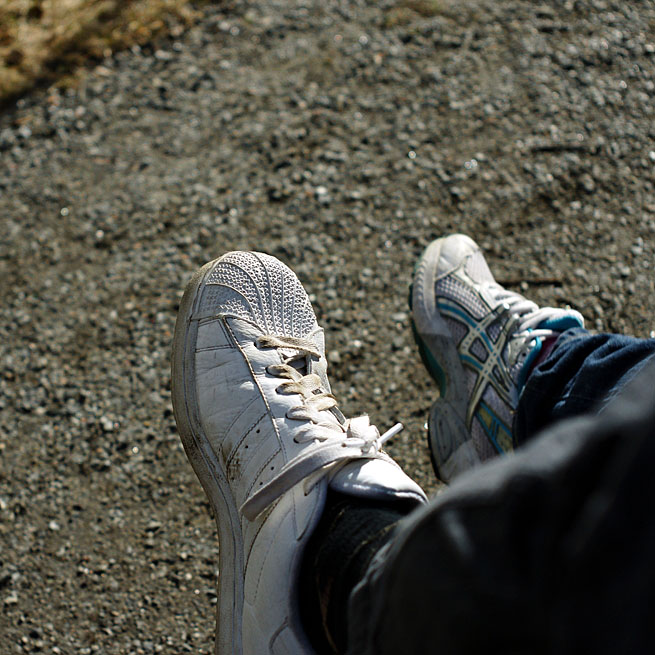
Here I upload an image of 655x655 pixels:
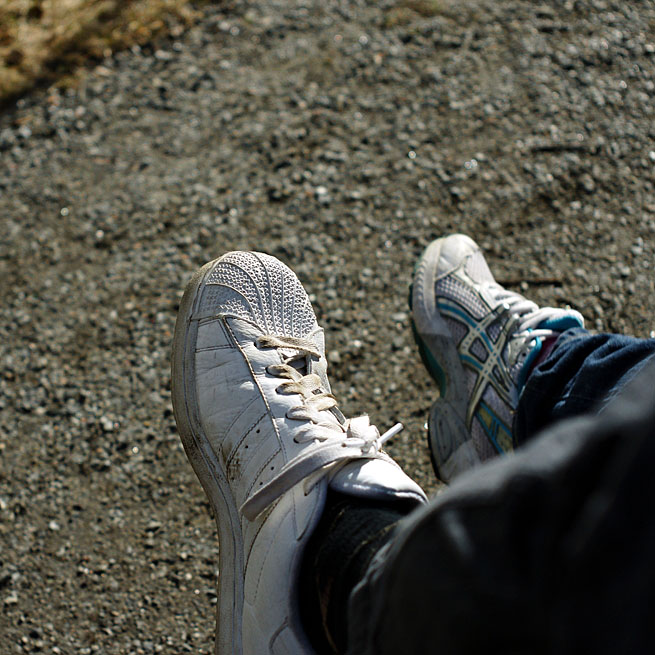
Not shown like that in my browser at least. Not in the thread and not when clicked.
_________________
For Sale or Trade: Pick from the list below.
Manual Lenses: CV 15 4.5 | MIR-20H 20 3.5 | Elmarit-R 28 2.8 | Flektogon MC 35 2.4 | S-M-C Tak 50 1.4 | Rollei 50 1.8 HFT | Helios 44-3 MC 58 2 | MC ROKKOR-X 58 1.2 | MacroPlanar 60 2.8 | Vega-12b 90 2.8 | Tamron 52B 90 2.5 | CZJ 135 3.5 | Jupiter-21A 200 4 | Tair-3s 300 4.5 | KOHBEPTEP K-1 | Takumar x2 |
Camera: Sony Nex 5N |
最終編集: torbod、木 4月 22, 2010 2:39 pm、計 1 回 |
|
| トップへ戻る |
|
|
Attila
登録日: 2007年2月24日
投稿: 58002
Expire: 2025-11-18
|
投稿日時: 木 4月 22, 2010 1:59 pm 件名: |
|
投稿日時: 木 4月 22, 2010 1:59 pm 件名: |
|
|
Attila wrote:
Javascript always try to make to center and resize into available space, try on higher display resolution like 1600px |
|
| トップへ戻る |
|
|
Scheimpflug
登録日: 2010年2月6日
投稿: 1888
所在地: New Zealand / USA
Expire: 2011-11-18
|
投稿日時: 木 4月 22, 2010 2:06 pm 件名: |
|
投稿日時: 木 4月 22, 2010 2:06 pm 件名: |
|
|
Scheimpflug wrote:
Are you changing it right now?
I just tested it in the preview, and when I go to "Upload picture" and then click on "gallery", the "insert picture: standard" link for each image no longer inserts a link. Instead, it just inserts the resized picture with no link to the original....
_________________
Sigma DP1, Nikon D40 (hers ), Polaroid x530, Pentax P30t, Pentax P50, (P30t/P50 K-A to Nikon F body mount conversion)
Nikon: 18-55/3.5-5.6 "G ED II DX" (F) Soligor: 28/2.8 (FL->F converted), 135/3.5 (F), 3x TC (F, modified) Kalimar: 28-85/3.5 (F)
Vivitar: 70-210/2.8-4.0 Version 3 (F), Tele 500/6.3 Preset (F), 19/3.8 (F) Minolta: 300/5.6 (SR/MC/MD pending F conversion)
Tamron: 28/2.8 (Adaptall) Panagor: 28/2.5 (FD) Aetna: 300/5.6 (F) Osawa: MC 28/2.8 (F)
Vintage Lenses: Dallmeyer: 1940s A.M. 14in 356mm f4 (ULF->M42) 1930s Adon Telephoto Taylor, Taylor & Hobson: 1880s Rapid Rectilinear 8 1/2 x 6 1/2 11.31in f/8 (LF->?)
Parts Lenses: Nikon 35-135/3.5-4.5 (F), Sigma 70-210/4.5 (F), Nikon 50/1.8 Series E (F) |
|
| トップへ戻る |
|
|
torbod
登録日: 2010年1月31日
投稿: 379
所在地: Sweden
|
投稿日時: 木 4月 22, 2010 2:11 pm 件名: |
|
投稿日時: 木 4月 22, 2010 2:11 pm 件名: |
|
|
torbod wrote:
Ah, strange.
I can of course only use native resolution (1680x1050) on my monitor.
The strange thing is that if I make the browser very small, the thread image is shown as usual (image won't fit in the browser window). When clicked, the image is made smaller to fit the window. Thus the java script damages the original size feature. Shown bigger when possible, and smaller when restricted, thus very small possibility of correct size. I have too much window space for this to work properly when the browser is maximized.
Finally I found a way to get things right. If I open the images in another window instead of just click on them, the java script does not run and the correct size is shown
So the images are left untouched as you say, but the java script is the monster here...
Thanks for listening.
_________________
For Sale or Trade: Pick from the list below.
Manual Lenses: CV 15 4.5 | MIR-20H 20 3.5 | Elmarit-R 28 2.8 | Flektogon MC 35 2.4 | S-M-C Tak 50 1.4 | Rollei 50 1.8 HFT | Helios 44-3 MC 58 2 | MC ROKKOR-X 58 1.2 | MacroPlanar 60 2.8 | Vega-12b 90 2.8 | Tamron 52B 90 2.5 | CZJ 135 3.5 | Jupiter-21A 200 4 | Tair-3s 300 4.5 | KOHBEPTEP K-1 | Takumar x2 |
Camera: Sony Nex 5N |
|
|
| トップへ戻る |
|
|
SVP
登録日: 2009年1月15日
投稿: 665
所在地: Greece
Expire: 2017-12-17
|
投稿日時: 日 2月 20, 2011 3:26 pm 件名: |
|
投稿日時: 日 2月 20, 2011 3:26 pm 件名: |
|
|
SVP wrote:
I can't upload pics when using Firefox. No issues with Explorer though. Strange... |
|
| トップへ戻る |
|
|
Attila
登録日: 2007年2月24日
投稿: 58002
Expire: 2025-11-18
|
投稿日時: 日 2月 20, 2011 8:39 pm 件名: |
|
投稿日時: 日 2月 20, 2011 8:39 pm 件名: |
|
|
Attila wrote:
| SVP 氏の書き込み: |
| I can't upload pics when using Firefox. No issues with Explorer though. Strange... |
Use drag and drop upload if you have Firefox , simple and fast . |
|
| トップへ戻る |
|
|
iangreenhalgh1

登録日: 2011年3月18日
投稿: 15679
Expire: 2014-01-07
|
投稿日時: 金 7月 01, 2011 11:39 pm 件名: |
|
投稿日時: 金 7月 01, 2011 11:39 pm 件名: |
|
|
iangreenhalgh1 wrote:
I still can't upload anything using firefox, tried all kinds of images.
How does the drag and drop work? All I see is a blank box.
_________________
I don't care who designed it, who made it or what country it comes from - I just enjoy using it! |
|
| トップへ戻る |
|
|
iangreenhalgh1
登録日: 2011年3月18日
投稿: 15679
Expire: 2014-01-07
|
投稿日時: 金 7月 01, 2011 11:41 pm 件名: |
|
投稿日時: 金 7月 01, 2011 11:41 pm 件名: |
|
|
iangreenhalgh1 wrote:
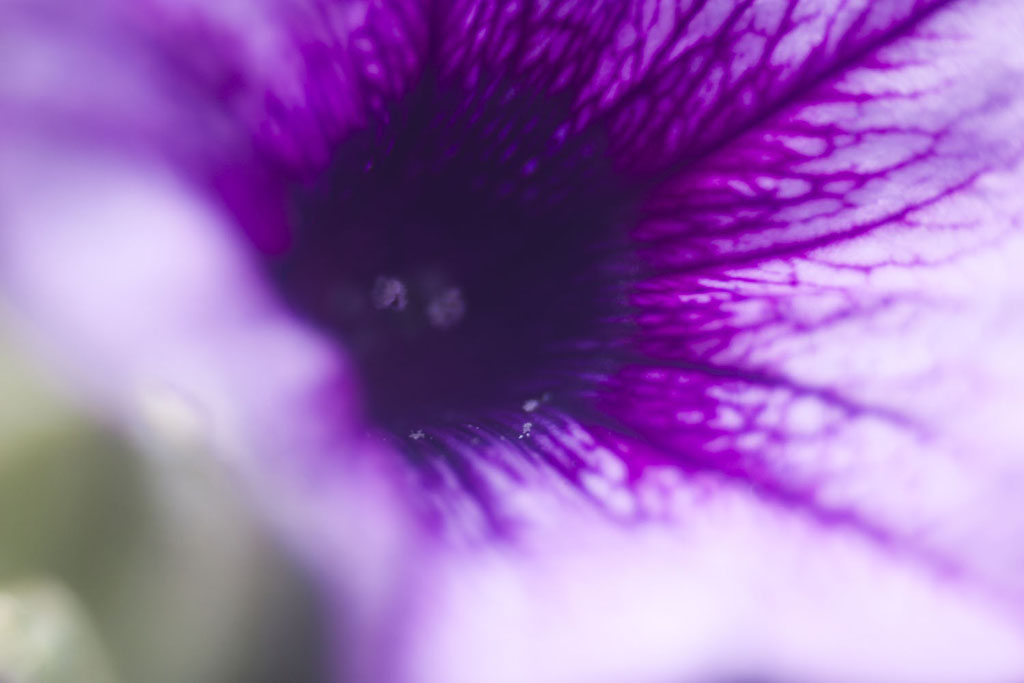
Well, that worked, I resized to 1024x683, is this now the maximum size we can upload?
_________________
I don't care who designed it, who made it or what country it comes from - I just enjoy using it! |
|
| トップへ戻る |
|
|
mo

登録日: 2009年8月27日
投稿: 8979
所在地: Australia
Expire: 2016-07-30
|
投稿日時: 金 7月 01, 2011 11:45 pm 件名: |
|
投稿日時: 金 7月 01, 2011 11:45 pm 件名: |
|
|
mo wrote:
| 引用: |
| How does the drag and drop work? All I see is a blank box. |
Hi Ian, I always re size my images to 900 and just click on them and hold down the mouse button,then drag them from my thumbnails on my PC to the drag and drop box.It takes a small fraction of time to load from dragging and dropping before they appear in the reply box.
_________________
Moira, Moderator 
Fuji XE-1,Pentax K-01,Panasonic G1,Panasonic G5,Pentax MX
Ricoh Singlex TLS,KR-5,KR-5Super,XR-10
Lenses
Auto Rikenon's 55/1.4, 1.8, 2.8... 50/1.7 Takumar 2/58 Preset Takumar 2.8/105 Auto Takumar 2.2/55, 3.5/35 Super Takumar 1.8/55...Macro Takumar F4/50... CZJ Biotar ALU M42 2/58 CZJ Tessar ALU M42 2.8/50
CZJ DDR Flektogon Zebra M42 2.8/35 CZJ Pancolar M42 2/50 CZJ Pancolar Exakta 2/50
Auto Mamiya/Sekor 1.8/55 ...Auto Mamiya/Sekor 2/50 Auto Mamiya/Sekor 2.8/50 Auto Mamiya/Sekor 200/3.5 Tamron SP500/8 Tamron SP350/5.6 Tamron SP90/2.5
Primoplan 1.9/58 Primagon 4.5/35 Telemegor 5.5/150 Angenieux 3.5/28 Angenieux 3,5/135 Y 2
Canon FL 58/1.2,Canon FL85/1.8,Canon FL 100/3.5,Canon SSC 2.8/100 ,Konica AR 100/2.8, Nikkor P 105/2.5
|
|
| トップへ戻る |
|
|
Attila
登録日: 2007年2月24日
投稿: 58002
Expire: 2025-11-18
|
投稿日時: 金 7月 01, 2011 11:52 pm 件名: |
|
投稿日時: 金 7月 01, 2011 11:52 pm 件名: |
|
|
Attila wrote:
Use firefox above v3.61 it works only with Firefox |
|
| トップへ戻る |
|
|
iangreenhalgh1
登録日: 2011年3月18日
投稿: 15679
Expire: 2014-01-07
|
投稿日時: 土 7月 02, 2011 12:04 am 件名: |
|
投稿日時: 土 7月 02, 2011 12:04 am 件名: |
|
|
iangreenhalgh1 wrote:
I'm using firefox 3.6.18/ I tried the drag n drop, it gives me an error same as normal pic upload does, sadly.
_________________
I don't care who designed it, who made it or what country it comes from - I just enjoy using it! |
|
| トップへ戻る |
|
|
mo
登録日: 2009年8月27日
投稿: 8979
所在地: Australia
Expire: 2016-07-30
|
投稿日時: 土 7月 02, 2011 12:13 am 件名: |
|
投稿日時: 土 7月 02, 2011 12:13 am 件名: |
|
|
mo wrote:
What size images are you trying to upload/drag and drop is it the same size every time?
_________________
Moira, Moderator
Fuji XE-1,Pentax K-01,Panasonic G1,Panasonic G5,Pentax MX
Ricoh Singlex TLS,KR-5,KR-5Super,XR-10
Lenses
Auto Rikenon's 55/1.4, 1.8, 2.8... 50/1.7 Takumar 2/58 Preset Takumar 2.8/105 Auto Takumar 2.2/55, 3.5/35 Super Takumar 1.8/55...Macro Takumar F4/50... CZJ Biotar ALU M42 2/58 CZJ Tessar ALU M42 2.8/50
CZJ DDR Flektogon Zebra M42 2.8/35 CZJ Pancolar M42 2/50 CZJ Pancolar Exakta 2/50
Auto Mamiya/Sekor 1.8/55 ...Auto Mamiya/Sekor 2/50 Auto Mamiya/Sekor 2.8/50 Auto Mamiya/Sekor 200/3.5 Tamron SP500/8 Tamron SP350/5.6 Tamron SP90/2.5
Primoplan 1.9/58 Primagon 4.5/35 Telemegor 5.5/150 Angenieux 3.5/28 Angenieux 3,5/135 Y 2
Canon FL 58/1.2,Canon FL85/1.8,Canon FL 100/3.5,Canon SSC 2.8/100 ,Konica AR 100/2.8, Nikkor P 105/2.5
|
|
| トップへ戻る |
|
|
iangreenhalgh1
登録日: 2011年3月18日
投稿: 15679
Expire: 2014-01-07
|
投稿日時: 土 7月 02, 2011 12:29 am 件名: |
|
投稿日時: 土 7月 02, 2011 12:29 am 件名: |
|
|
iangreenhalgh1 wrote:
No, it's all different sizes, most are 1500x1000.
_________________
I don't care who designed it, who made it or what country it comes from - I just enjoy using it! |
|
| トップへ戻る |
|
|
Attila
登録日: 2007年2月24日
投稿: 58002
Expire: 2025-11-18
|
投稿日時: 土 7月 02, 2011 12:54 am 件名: |
|
投稿日時: 土 7月 02, 2011 12:54 am 件名: |
|
|
Attila wrote:
| iangreenhalgh1 氏の書き込み: |
| No, it's all different sizes, most are 1500x1000. |
Perhaps you have slow internet connection and not works with big sizes , time out come before it's is finished try 1024px wide. |
|
| トップへ戻る |
|
|
iangreenhalgh1
登録日: 2011年3月18日
投稿: 15679
Expire: 2014-01-07
|
投稿日時: 土 7月 02, 2011 1:05 am 件名: |
|
投稿日時: 土 7月 02, 2011 1:05 am 件名: |
|
|
iangreenhalgh1 wrote:
| Attila 氏の書き込み: |
| iangreenhalgh1 氏の書き込み: |
| No, it's all different sizes, most are 1500x1000. |
Perhaps you have slow internet connection and not works with big sizes , time out come before it's is finished try 1024px wide. |
I used to be able to upload 1500x1000 no problem. I don't think it's a timeout because the error appears within a second of clicking 'send'.
Resized to 1024px wide works but small images are pretty bad for assessing lenses etc.
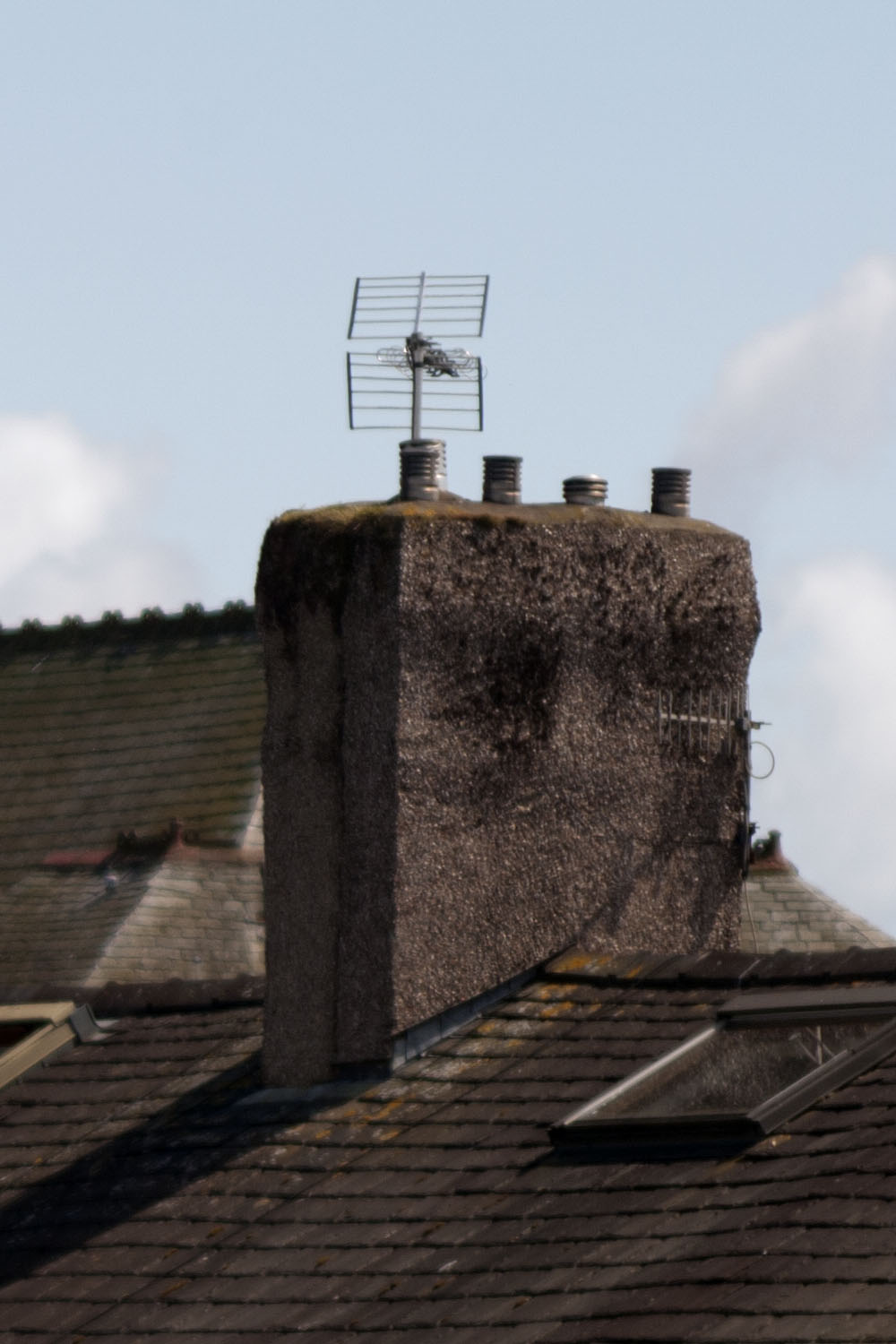
Not so much a problem when images are portrait orientation of course...
_________________
I don't care who designed it, who made it or what country it comes from - I just enjoy using it! |
|
| トップへ戻る |
|
|
|
|
 日本語
 Español
 中文
 Magyar
 Русский
 Deutsch
 Français